Web Apps
What are Web Apps
Web Apps are websites installed as standalone applications. Once installed, a website can be pinned to the taskbar or launched from the Start menu, just like any other native app. Because Web Apps still run inside Floorp under the hood, your installed add-ons can influence them as well.
Enabling Web Apps
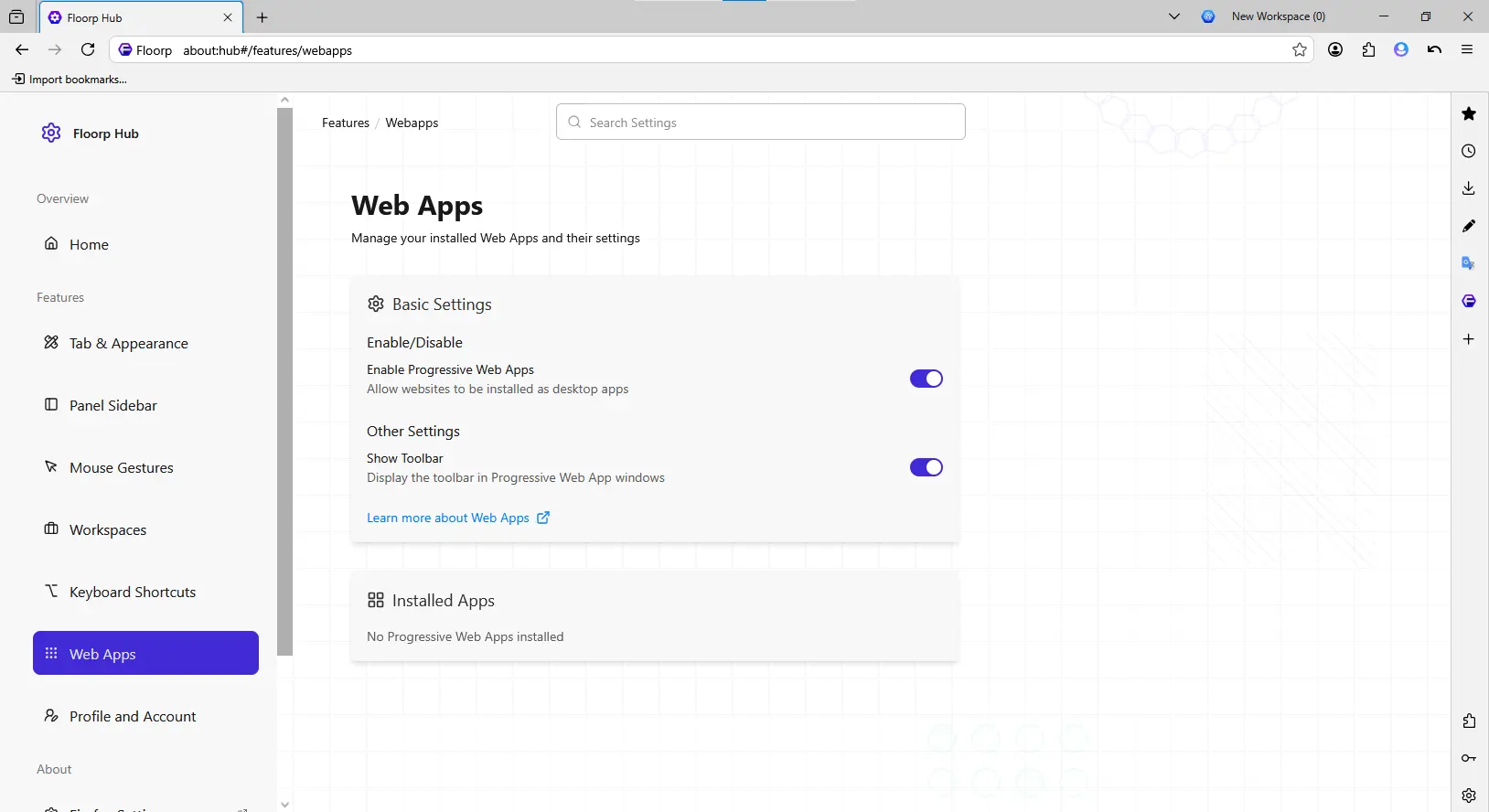
Support for Web Apps can be enabled from Floorp Hub > Web Apps (about:hub#/features/webapps).
From this page you can also choose whether a toolbar is shown inside Web App windows, as well as review and uninstall any Web Apps you've already installed.
Installing and Using a Web App
To install a website as a Web App, open a site that supports this installation method. When it does, a new icon appears in the address bar. Clicking that icon brings up a pop-up offering to install the site as a Web App.
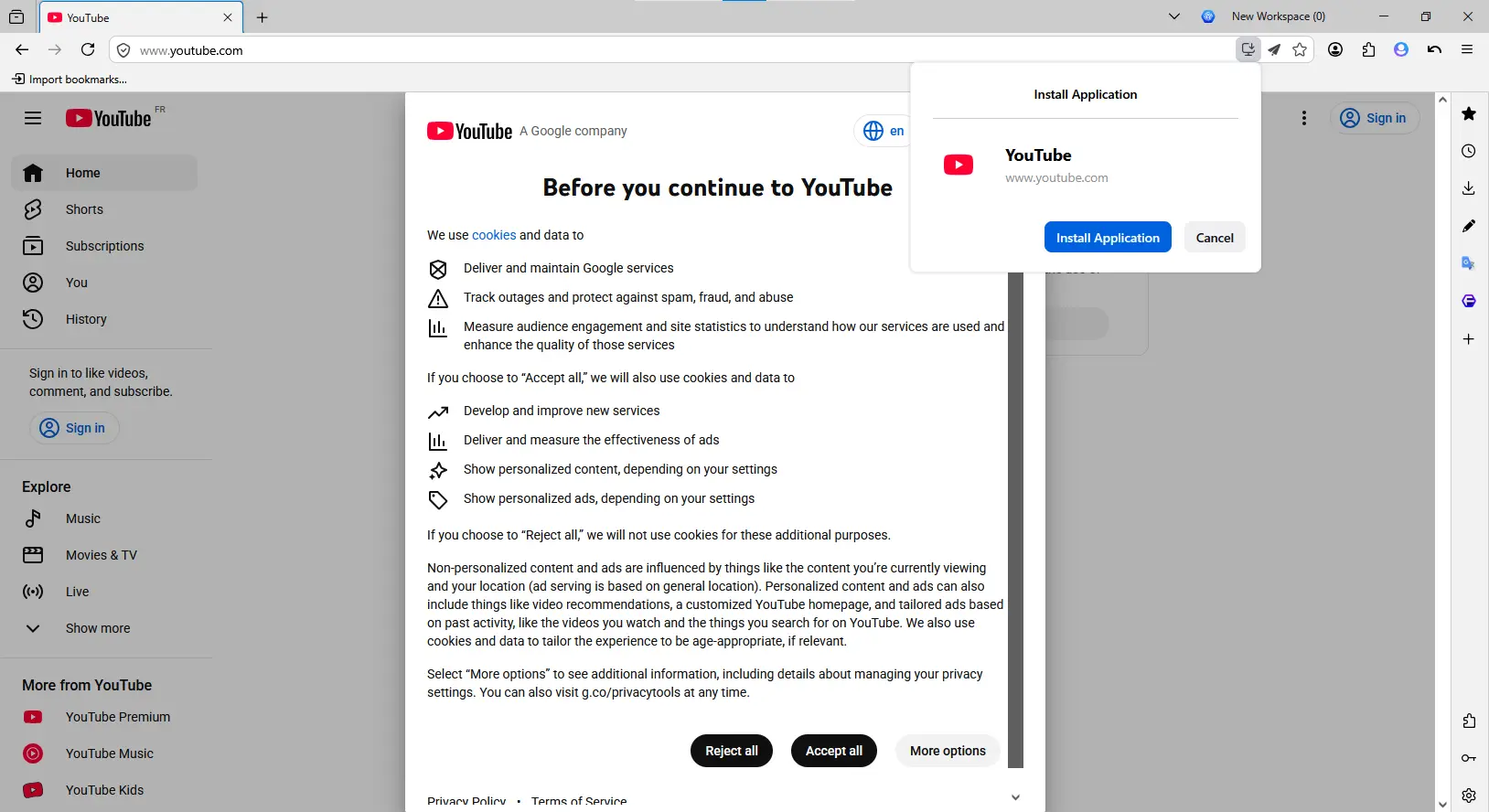
After you click Install Application, the site is installed as a Web App in your operating system. From then on, it launches in its own window whenever you open the corresponding shortcut.

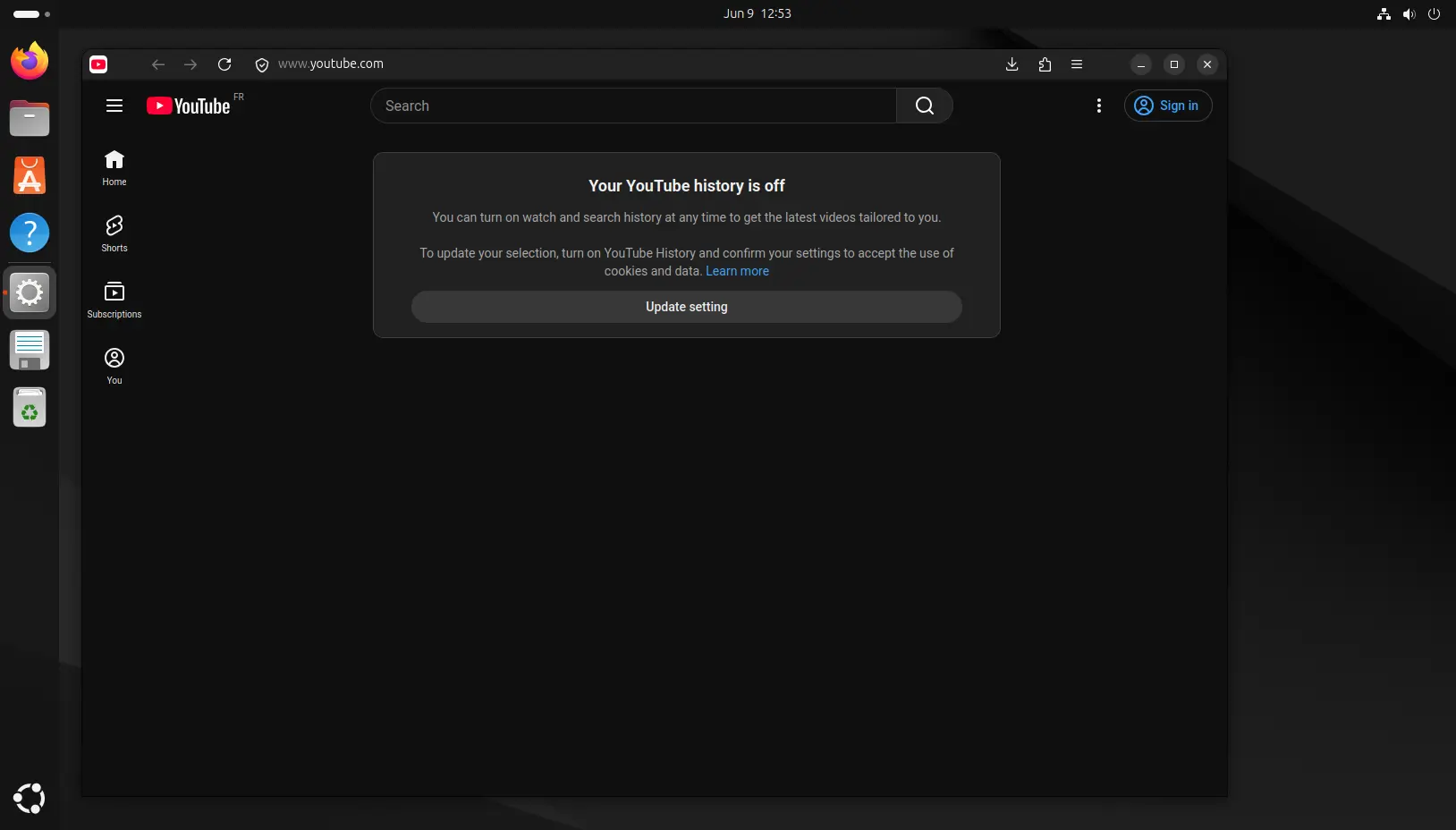
Example of a Web App running on Linux.